
 Version 1.0 beta
Juice
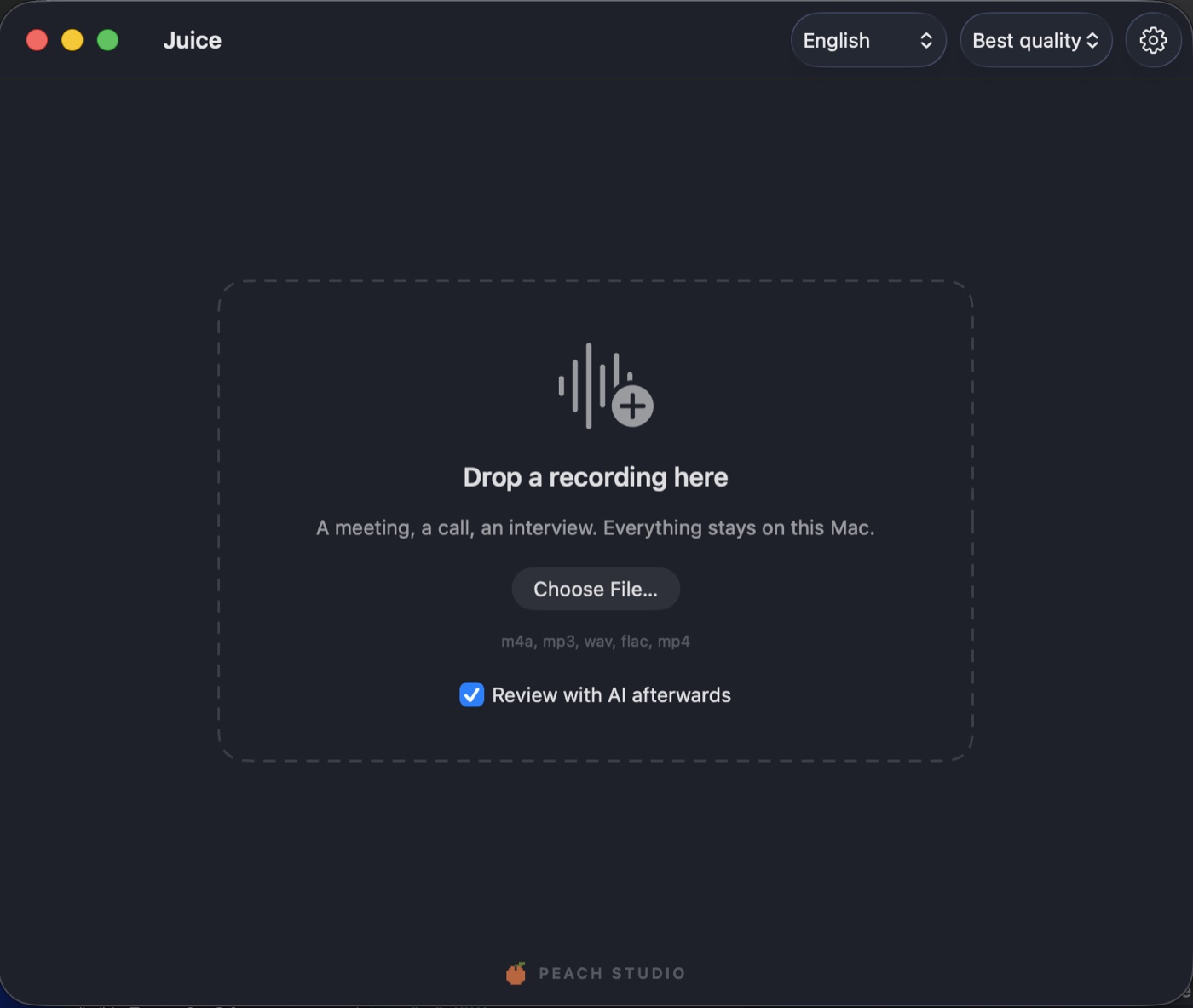
Drop in a recording of a meeting or a call. Get back a transcript that says who said what, reviewed by an AI that read the conversation — without a byte leaving your Mac.
Features
Transcription, speaker detection and an AI second opinion, all running on the Neural Engine and GPU of the Mac in front of you.
Who Said What
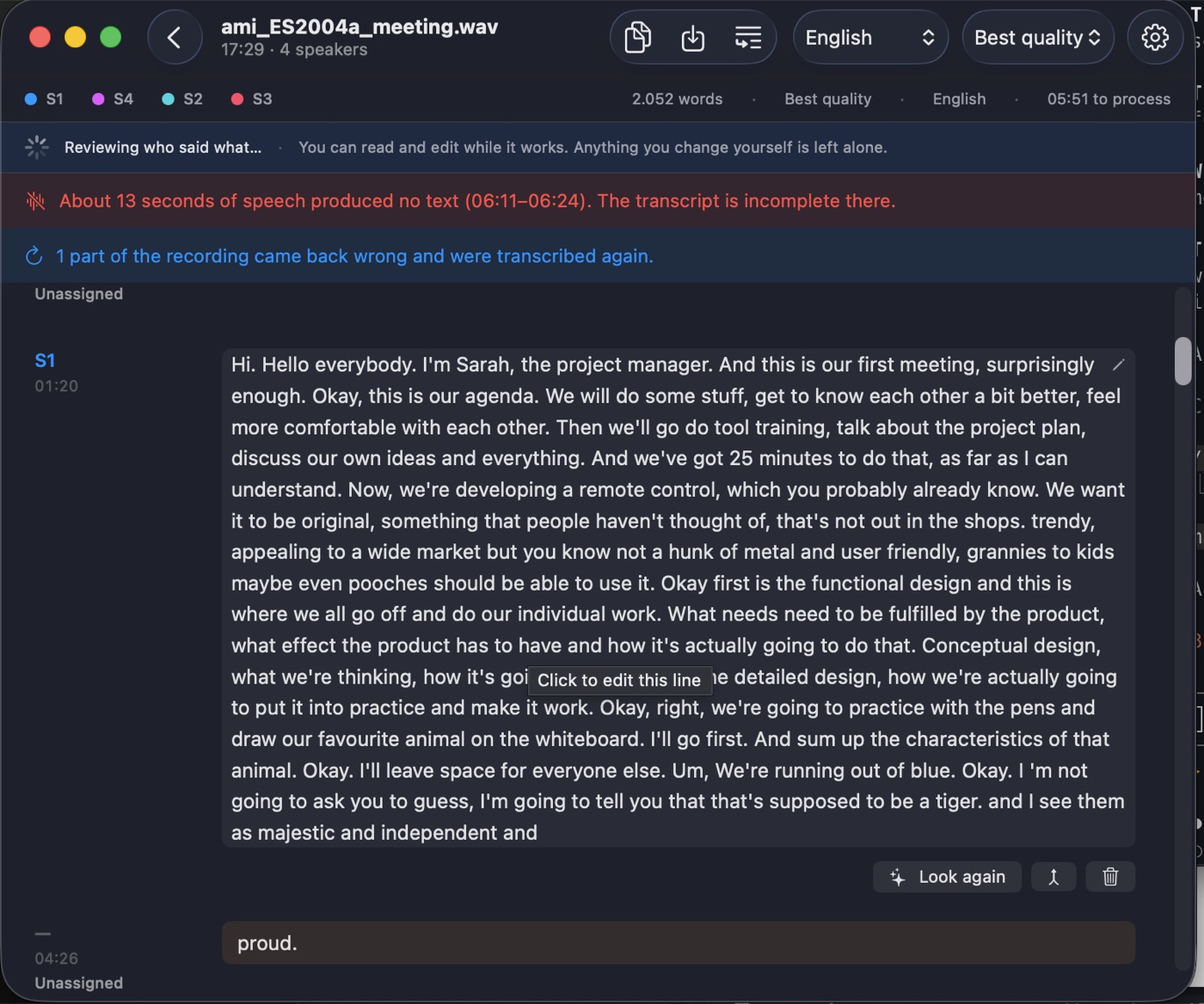
Every line carries a speaker, a timestamp and a colour kept consistent through the whole recording. Rename S1 to Anna and the transcript follows.
Neural Engine Speed
Whisper large-v3 turbo runs on the Neural Engine via WhisperKit. A one-hour meeting takes about twelve minutes on a recent Mac.
AI Review, On Your Terms
A local language model reads the conversation and suggests speaker fixes and misheard words. You accept or reject each one. Every acceptance is undoable.
Nothing Leaves the Mac
Audio, transcripts and voiceprints are never uploaded. No analytics, no telemetry. The only network access is downloading a model the first time it is needed.
Edit by Hand
Click any line to edit, name a speaker, join or split blocks, delete and restore. Your own edits always win over the AI's suggestions.
Honest Notices
If speech produced no text, or the model got stuck repeating itself, Juice says so at the top of the transcript instead of hiding the gap.
How It Works
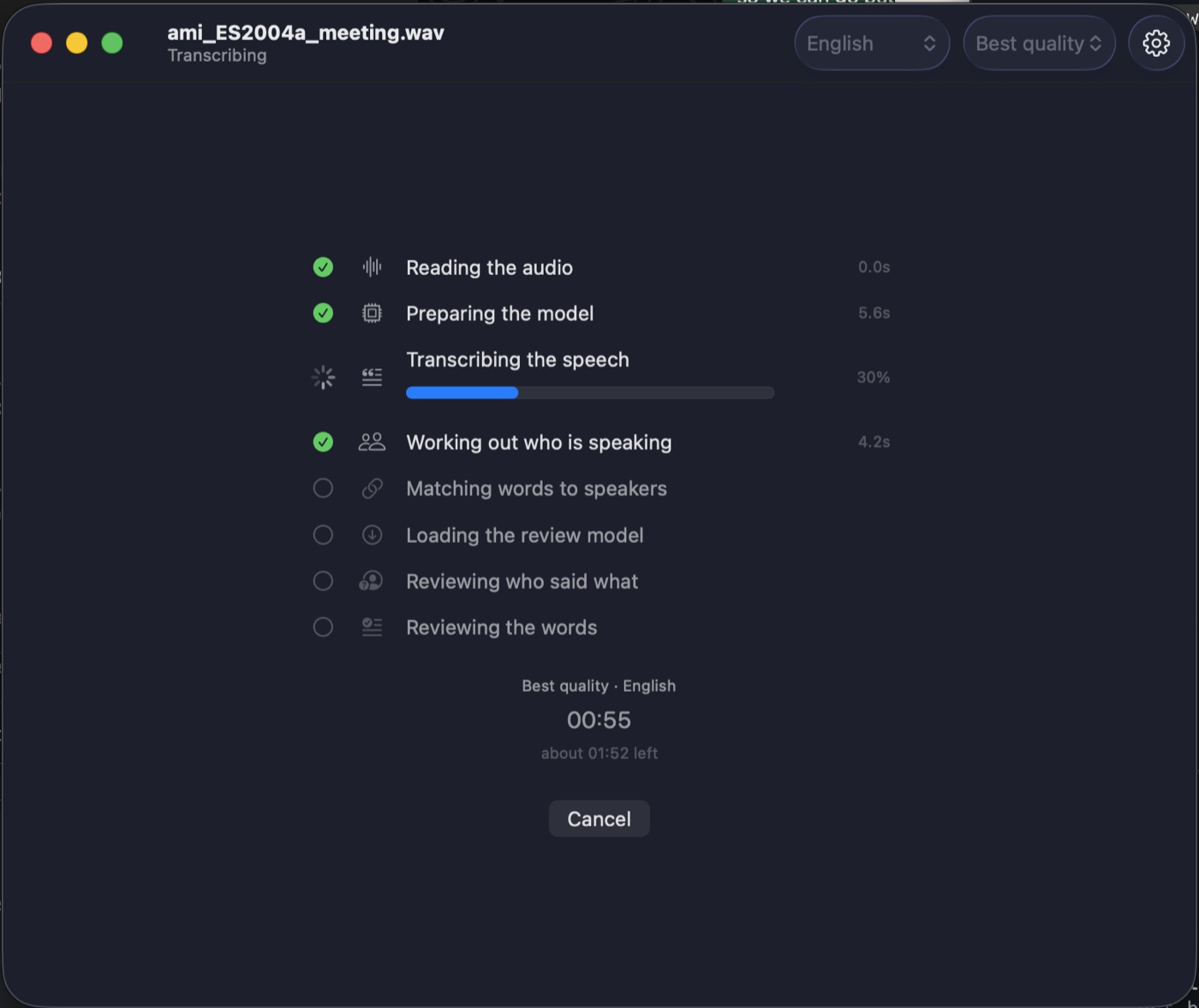
One recording in, seven stages, each one visible while it runs. You can read and edit the transcript while the review is still working.
How the AI Review Is Kept Honest
The review is the part most likely to go wrong, so it is constrained rather than trusted.
Speaker fixes cannot invent text
Speaker corrections are checked word for word against the input. If a single word changed, the whole window is discarded. Inventing text is structurally impossible, not merely unlikely.
Word fixes pass two guards
A suggestion that rewrites more than a third of a line is dropped, and a number may not change unless your glossary justifies it.
Nothing is applied on its own
Every proposal is accepted or rejected by you, and every acceptance is revertible. Anything you edited yourself is left alone.
The summary says what it is
A summary cannot be checked against what was said, so it lives beside the transcript and is never written into it.
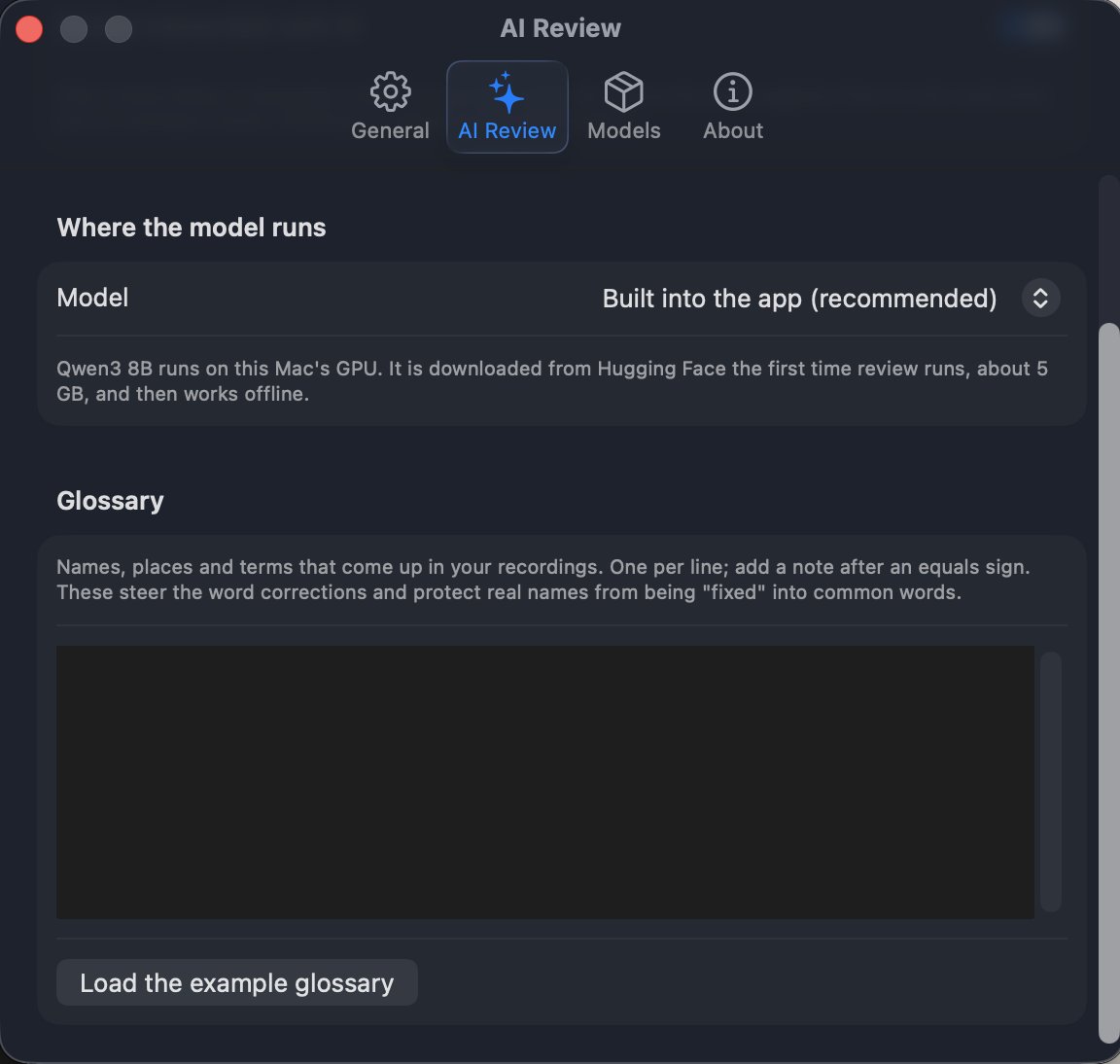
The review model runs on your Mac's GPU. A glossary of names, places and terms steers the corrections and protects real names from being "fixed" into common words.
Measured
A 17.5-minute, four-person English meeting from the AMI corpus.
2,123 words in 3 min 43 s
matching the corpus
by the validator
On an M5 with 24 GB · Best quality
What You Need
Built With
Every library and model, with its licence, is listed in Settings › About inside the app.
Coming Soon on the Mac App Store
Juice 1.0 is in beta on TestFlight. We are finishing the pieces that make it publishable: a library of past recordings, resumable jobs and exports.
Requires macOS 26 on Apple Silicon (M1 or later)
Questions? info@peachstudio.be